

Focus Mode
Focus Mode blocks selected apps and websites during a timed session. When the session ends, Curbox removes the Focus Mode blocks.
Focus Groups
A Focus Group is a saved set of apps, websites, and session options. You can use the same group for multiple sessions.
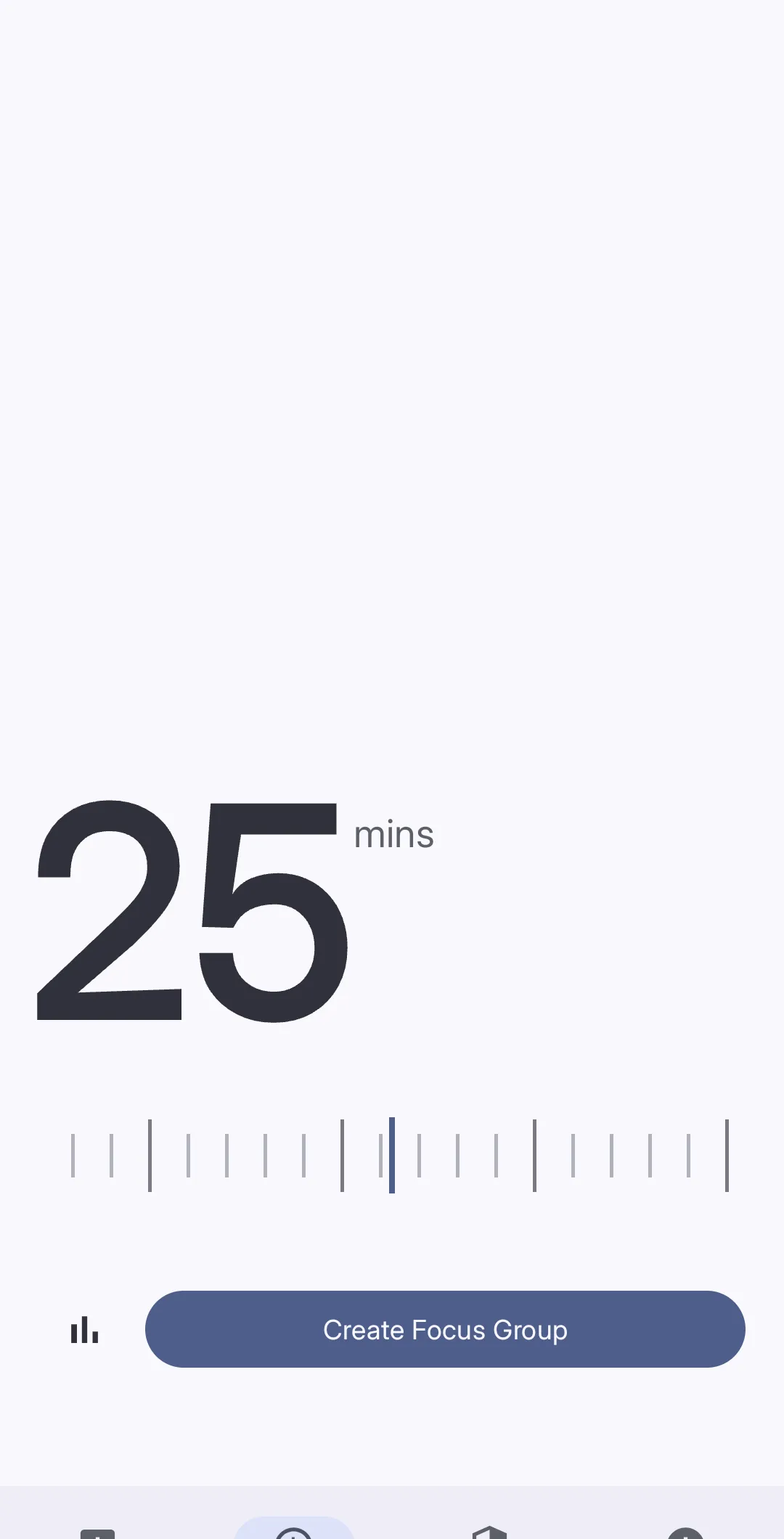 Drag the slider to set the session duration.
Create a Focus Group
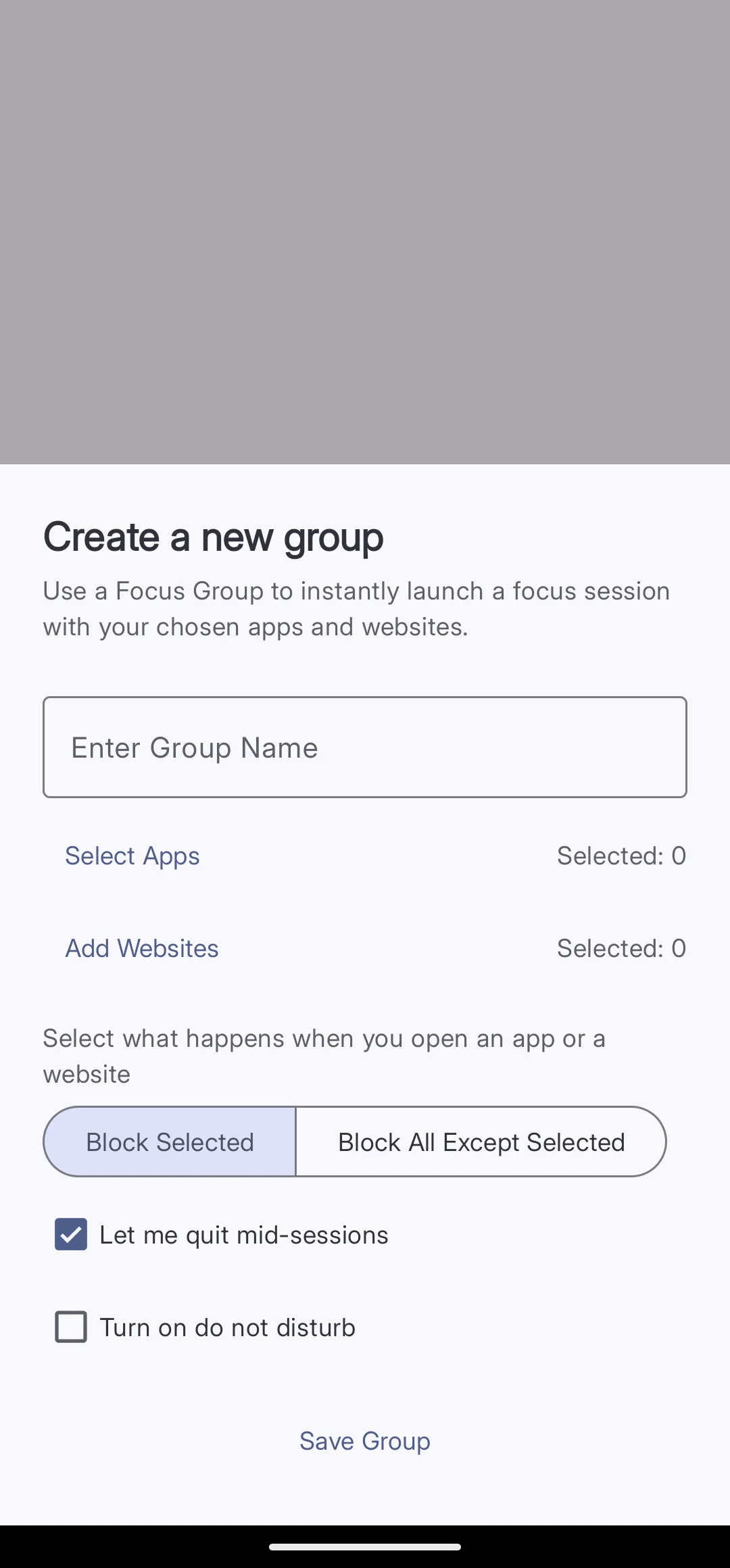 Configure the group, and then tap Save Group.
-
Open Focus Tap Focus in the bottom navigation bar.
-
Create a group Tap Create Focus Group.
-
Enter a group name Enter a short name in Enter Group Name.
-
Select apps Tap Select Apps. Select the apps that the group controls.
-
Add websites (optional) Tap Add Websites. Enter the websites or keywords that the group controls.
-
Select a blocking mode Select Block Selected to block only the selected items. Select Block All Except Selected to allow only the selected items.
-
Permit an early stop (optional) Turn on Let me quit mid-sessions to permit an early stop.
-
Use Do Not Disturb (optional) Turn on Turn on do not disturb to silence notifications during the session.
-
Save the group Tap Save Group. Curbox adds the group to the Focus screen.
Start a session
-
Set the session duration Drag the slider on the Focus screen.
-
Select a Focus Group Select a saved group from the list.
-
Start the session Tap the confirmation button. Curbox applies the group until the timer ends.
View Focus Stats
Tap the bar-chart icon next to the session slider. The Focus Stats screen shows these values:
- Number of sessions
- Total focus time
- Average session duration
- Completion rate
- Current daily streak
Use the group selector to show the statistics for one Focus Group.
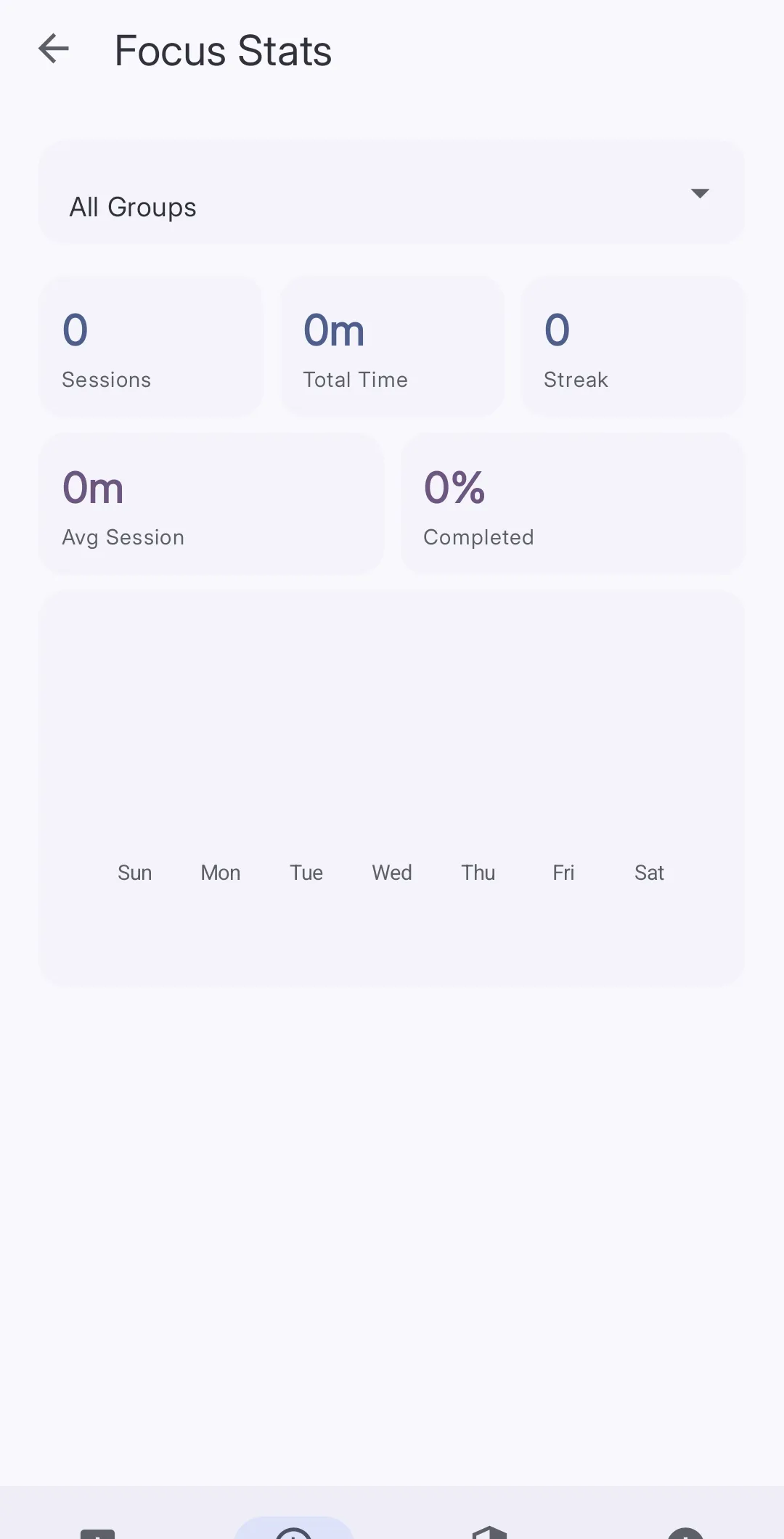 Use the group selector to filter the Focus Stats values.
Use an NFC tag
Tap the NFC icon in the upper-right corner of the Focus screen. Follow the on-screen instructions to connect a Focus Group to an NFC tag.
After the setup, scan the tag to start the connected session.